Skip to content
seojeek
WorkBlogAboutContact

Gallery · Room 18 · Cupertino, California, 1984

Macintosh

The computer that brought windows, icons and the mouse to a mass market, with type you chose from a menu.
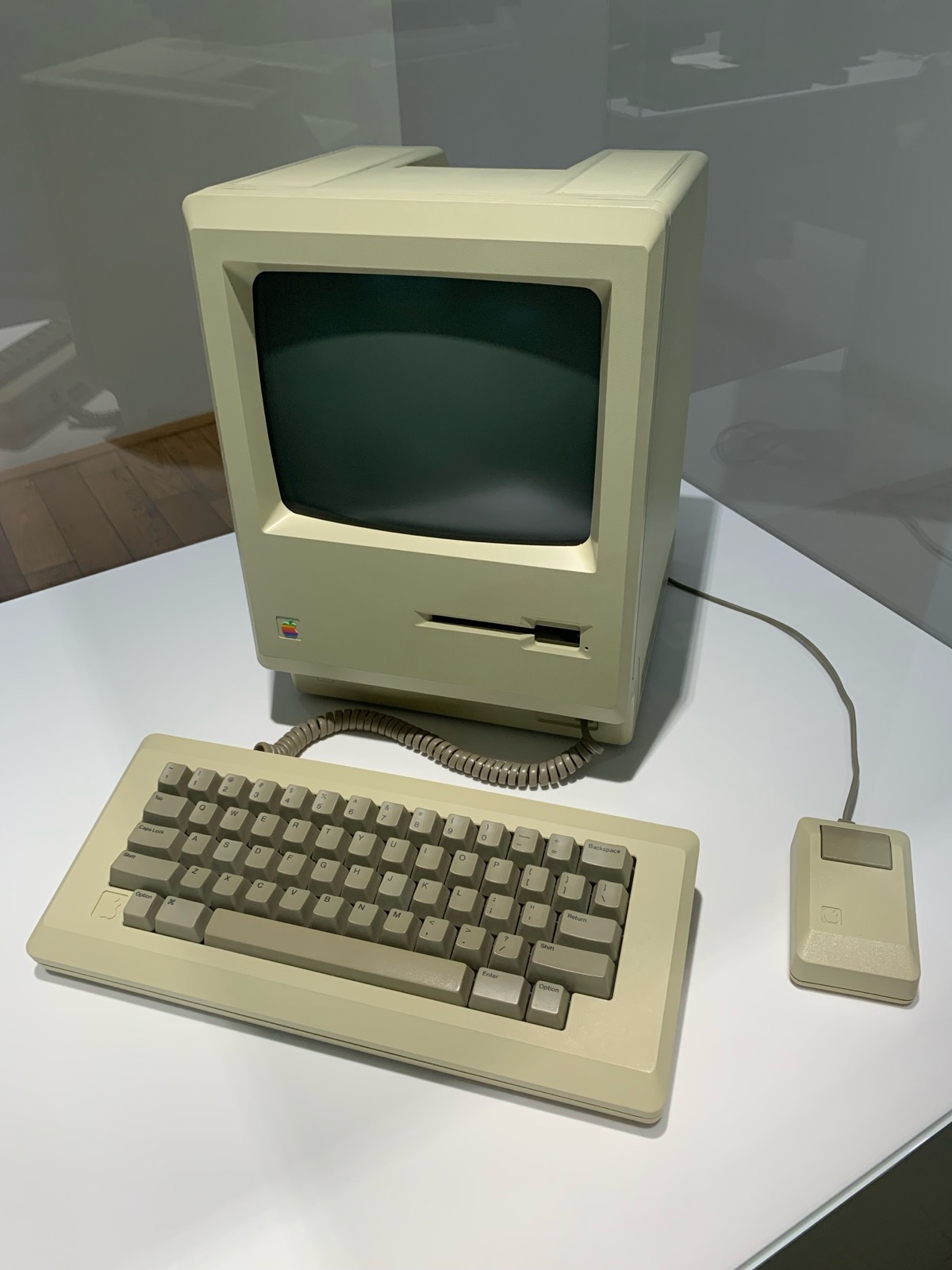
An upright beige computer with a small dark screen above a floppy-disk slot and a rainbow apple badge, a separate beige keyboard on a coiled cord in front, and a one-button mouse to the right.

Apple Computer

Macintosh (later called the Macintosh 128K), 1984

Microcomputer with built-in 9-inch screen, keyboard and mouse

Computer History Museum, Mountain View (record for the same model) · View record ↗

Photo: Benoît Prieur, CC0, via Wikimedia Commons

Wall text

Apple put the Macintosh on sale on 24 January 1984, two days after its "1984" commercial ran during the Super Bowl. It cost $2,495. Instead of typing commands, people pointed with a one-button mouse and clicked small pictures called icons on a 9-inch black-and-white screen. It was the first mass-market success for this way of working.

The ideas were older. Douglas Engelbart's 1968 demonstration showed a mouse and multiple windows. At Xerox PARC, the Alto of 1973 built on his work, with a mouse, a graphical screen and the Smalltalk environment. Steve Jobs and Apple engineers saw it in December 1979. The Computer History Museum says the visit reinforced work under way on the Lisa and the Macintosh.

Type became a menu choice. Susan Kare designed many of the icons and the screen fonts, including Chicago for menus, with letters of different widths. In his own account, given at Stanford in 2005, Jobs traced these proportional fonts to a calligraphy class at Reed College. Kare's icons are still in copyright, so they are linked here rather than shown.
Palette · Sampled from the works shown

  • 1-bit black

    #000000

  • 1-bit white

    #FFFFFF

  • Case beige

    #C1BA95

  • Keycap grey

    #8E8769

  • Screen glass

    #26382E

What changed

  • Pointing replaced typing: people clicked and dragged icons with a mouse instead of typing program names at a command line

  • Typefaces and styles such as bold and italic became choices on a menu, with letters of different widths on screen

  • The screen showed the page as it would print: MacWrite displayed formatted text while you typed

  • Drawing became ordinary software: MacPaint turned the mouse into a brush, and designers, artists and educators took up the Mac

More works

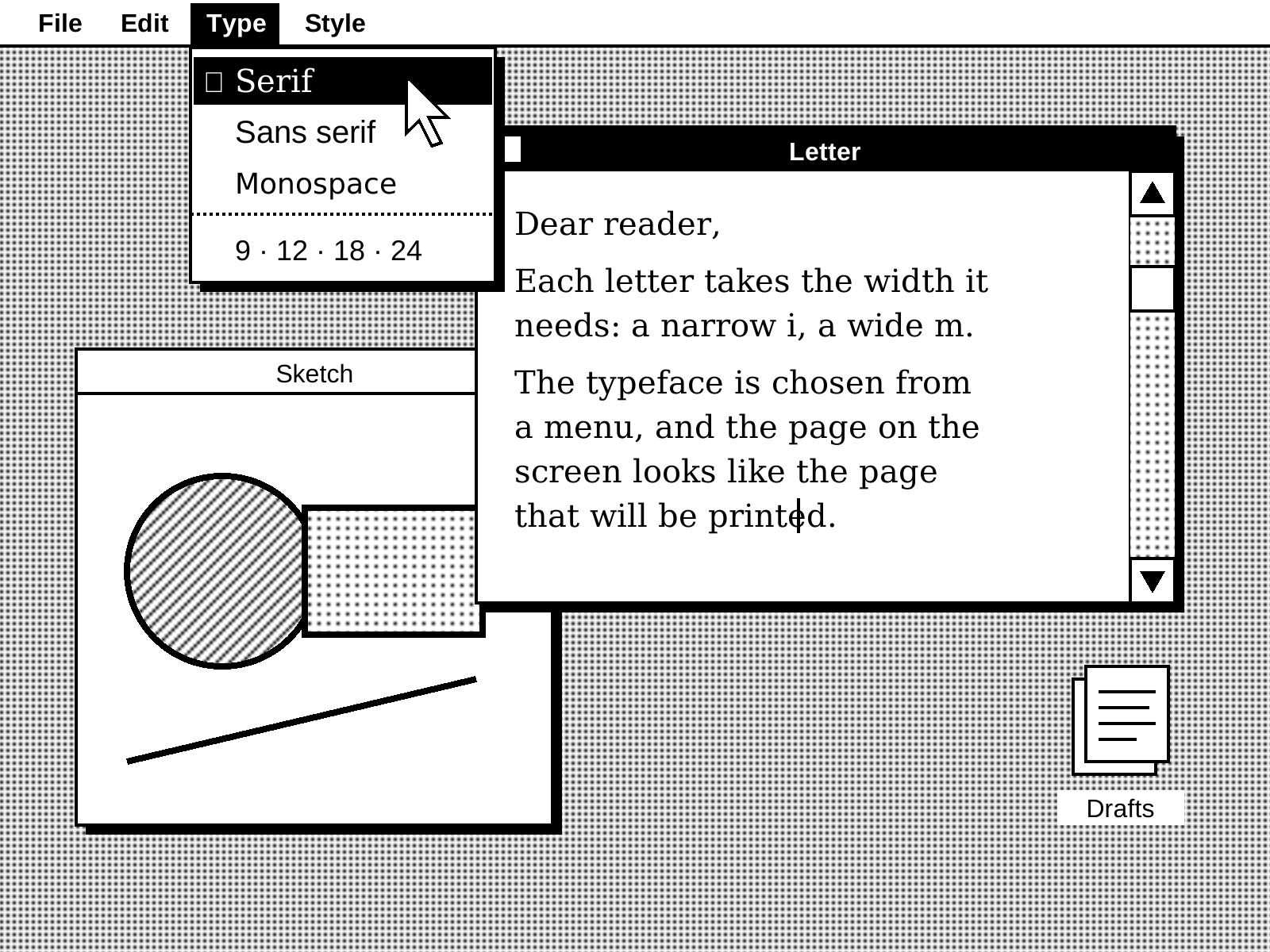
  • Original study in black and white only: a dotted desktop with a menu bar reading File, Edit, Type and Style. The Type menu is open, offering Serif, Sans serif and Monospace, each set in its own face, and an arrow pointer rests on Serif. Behind it, a window titled Letter holds a short note in proportional serif type, overlapping an inactive window titled Sketch with a hatched circle, a dotted rectangle and a line.

    seojeek

    Study of a 1984 desktop, 2026

    SVG

    An original made for this gallery, not a copy of Apple's interface. The real works are linked below.

  • Susan Kare

    Apple Macintosh OS icon sketchbook, 1982

    Bound sketchbook, ink and felt-tipped pen on paper

    The Museum of Modern Art, New York · View record ↗

  • Xerox PARC

    Alto I CPU, 1973

    Workstation

    Computer History Museum, Mountain View · View record ↗

What to borrow

  1. 01

    Show the choices. Put actions in menus and on screen, the way the Mac did, instead of asking people to remember commands.

  2. 02

    Treat type as part of the interface. Chicago was drawn for menus on a low-resolution screen; choose faces for where they will be read, and use proportional spacing and clear sizes.

  3. 03

    Let the screen match the result. Preview the real output while people edit, the way MacWrite showed the printed page.

Sources

  • Wikipedia

    Macintosh 128K ↗

  • Computer History Museum

    Xerox PARC ↗

  • Computer History Museum

    Douglas C. Engelbart ↗

  • Folklore.org

    World Class Cities, by Susan Kare ↗

  • Stanford Report

    'You've got to find what you love,' Jobs says ↗

← The personal computer

Next room: The Web →

seojeek

Alex Vallejo, full-stack engineer since 2010.
Client software by day, my own products on the side.

Contact

Send a messagealex@dayoff.ioLinkedIn ↗

Site

WorkBlogAboutContactThe Gallery (archive)

© 2026 seojeek